
Best External Hard Drive for Business Backup
The best external hard drive for business backup in 2026: encrypted SSD and HDD picks for small businesses, a sizing rule and the 3-2-1 backup rule.
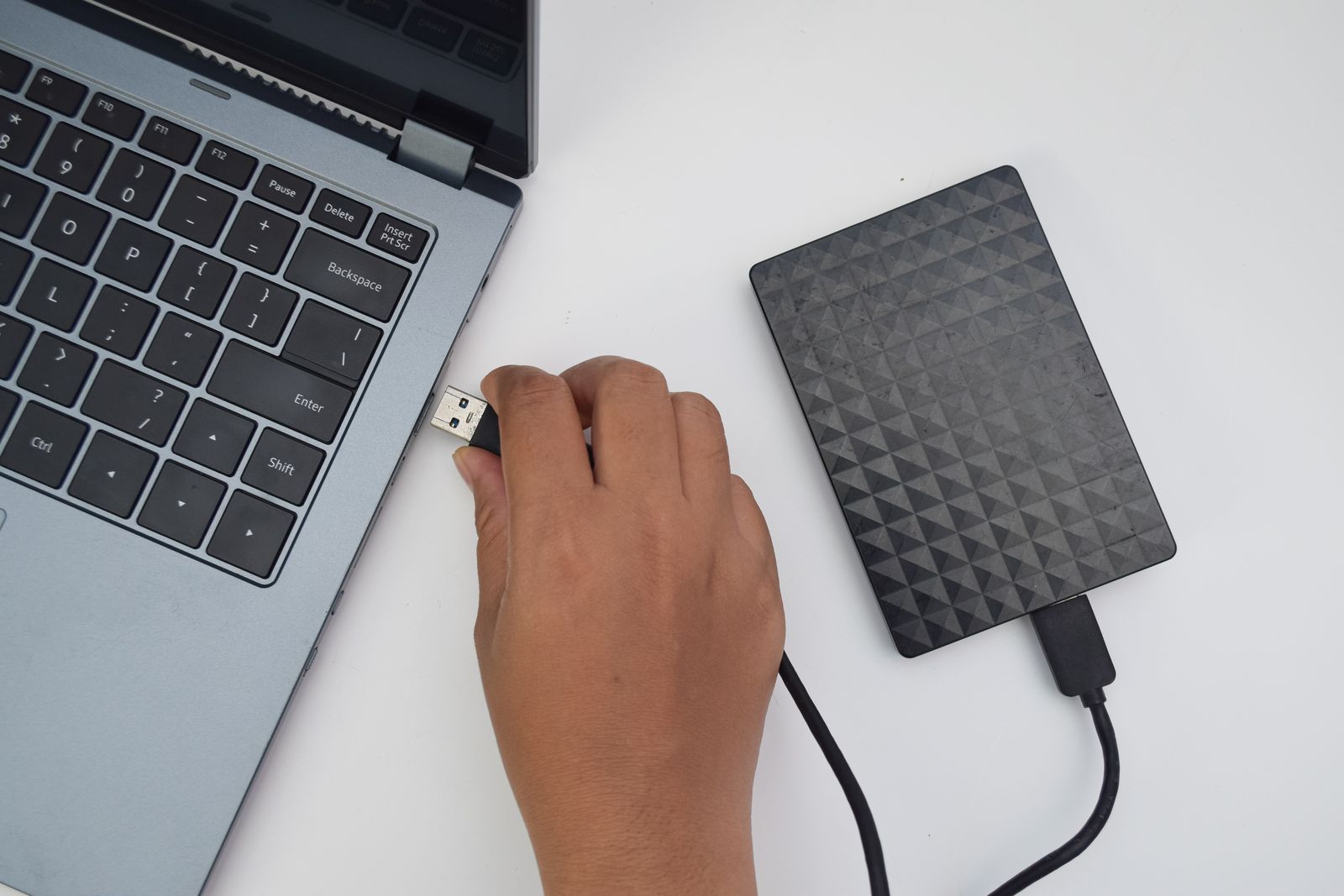
The best external hard drive for business backup, for most small firms, is the Samsung T7 Shield: fast, rugged and encrypted. The right choice for you comes down to three things: how much data you hold, how fast you need to copy it and whether the drive leaves the office.
These picks draw on specifications and reviews from PCWorld and Tom's Hardware. They apply to small businesses in the US and the UK.
Quick picks
- Best overall: Samsung T7 Shield
- Fastest: Samsung T9
- Most rugged for travel: SanDisk Extreme Portable SSD
- Best value portable: WD My Passport
- Best desktop drive: WD My Book
We may earn a commission if you buy through links on this page. It never changes our verdicts. How we review.
Our top pick, the Samsung T7 Shield:
Spec table: the five drives compared
| Drive | Type | Capacities | Interface / max read | Hardware encryption | Rugged | Who it's for |
|---|---|---|---|---|---|---|
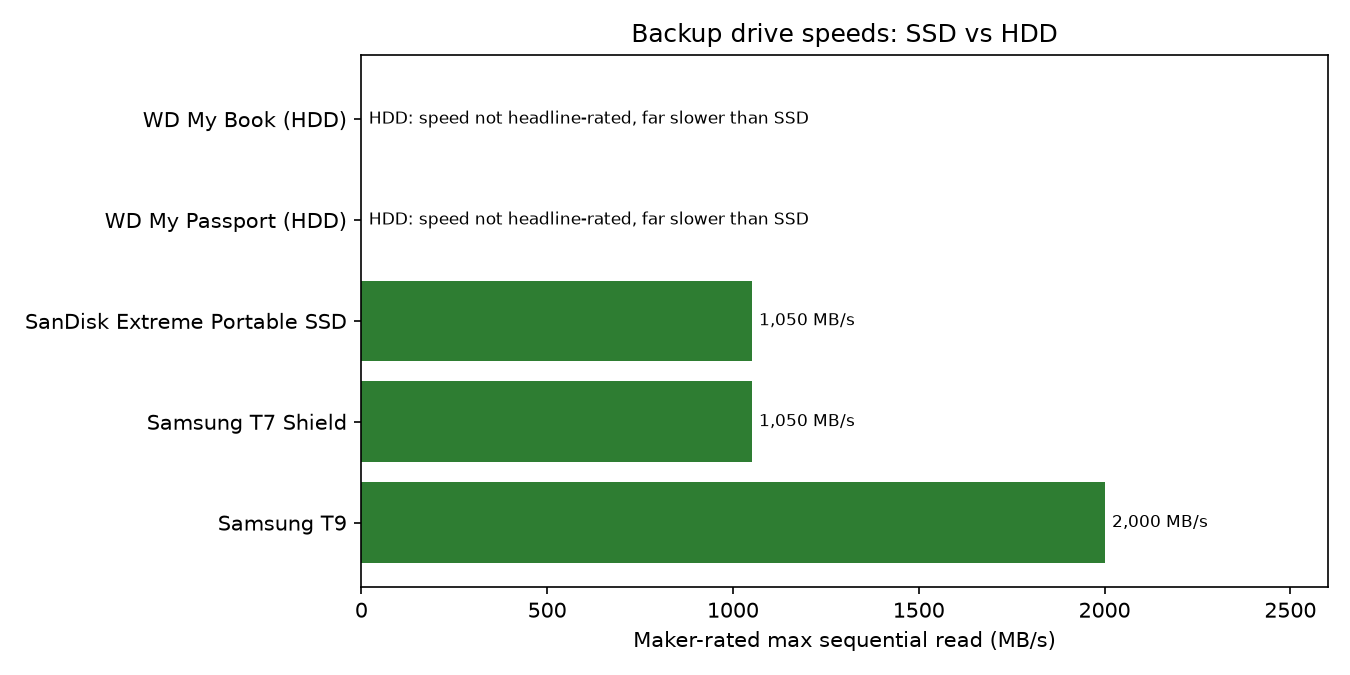
| Samsung T7 Shield | Portable SSD | 1, 2, 4 TB | USB 3.2 Gen 2, up to 1,050 MB/s | AES 256-bit, optional password | IP65, drop resistant | Most small businesses |
| Samsung T9 | Portable SSD | 1, 2, 4 TB | USB 3.2 Gen 2x2, up to 2,000 MB/s | AES 256-bit | Drop resistant | Large media files, fast ports |
| SanDisk Extreme Portable SSD | Portable SSD | see maker page | USB 3.2 Gen 2, up to 1,050 MB/s | 256-bit AES, password | IP65, drop resistant | Travel and site visits |
| WD My Passport | Portable HDD | see maker page | USB 3.2 Gen 1 | 256-bit AES, password | No | Cheap capacity, weekly backups |
| WD My Book | Desktop HDD | see maker page | USB 3.2 Gen 1, mains powered | 256-bit AES | No | Office backup of a whole PC or server |
How big a drive? Total data to back up x 2, then round up for a year's growth. Example: 600 GB of files x 2 = 1.2 TB, so buy 2 TB.
SSD or HDD: the short version
SSDs (solid state drives) have no moving parts, making them faster and more knock resistant. HDDs (hard disk drives) offer cheaper capacity for desk-based backups.
Samsung T7 Shield: best overall
Who it's for: small businesses backing up at a desk or on the move.
- Capacities: 1 TB, 2 TB and 4 TB
- Interface: USB 3.2 Gen 2, with read speeds of up to 1,050 MB/s
- Encryption: AES 256-bit hardware encryption with an optional password
- Durability: IP65 rated and drop resistant
The T7 Shield balances speed, durability and security. Encryption matters if customer data is lost or stolen, including data covered by UK GDPR or US state privacy rules. This is not legal advice; check your obligations.
Find full specifications on Samsung's T7 Shield page.
Who it isn't for: those prioritising cheap capacity. The WD My Book HDD usually costs less per unit of storage.
Samsung T9: fastest
Who it's for: businesses moving large video, photography or design files on fast computers.
- Capacities: 1 TB, 2 TB and 4 TB
- Interface: USB 3.2 Gen 2x2, with read speeds of up to 2,000 MB/s
- Encryption: AES 256-bit hardware encryption
- Durability: drop resistant
The T9 needs a USB 3.2 Gen 2x2 port for its advertised speed. Slower ports limit it.
See Samsung's T9 page for full details.
Who it isn't for: older computers without Gen 2x2, or document-heavy offices. The T7 Shield avoids paying for unusable speed.
SanDisk Extreme Portable SSD: best for travel
Who it's for: people carrying backups between clients, sites and home.
- Capacities: check the SanDisk Extreme maker page for current options
- Interface: USB 3.2 Gen 2, with read speeds of up to 1,050 MB/s
- Encryption: 256-bit AES hardware encryption with password protection
- Durability: IP65 rated and drop resistant
Travel increases risks from drops, rain and loss. Rugged construction and password-protected encryption help.
Who it isn't for: desk-only backups. A desktop HDD provides greater capacity for the same money.
WD My Passport: best value portable
Who it's for: businesses seeking affordable weekly portable backups.
- Capacities: check the WD My Passport maker page for current options
- Interface: USB 3.2 Gen 1
- Encryption: 256-bit AES hardware encryption with password protection
- Durability: not rugged
My Passport offers cheaper capacity than these SSDs, but is slower and has moving parts. Handle it carefully.
Who it isn't for: frequent travellers or anyone needing quick transfers. An SSD is safer when bumps are likely.
WD My Book: best desktop drive
Who it's for: offices backing up an entire PC or small server.
- Capacities: check the WD My Book maker page for current options
- Interface: USB 3.2 Gen 1, mains powered
- Encryption: 256-bit AES hardware encryption
- Durability: not rugged
Mains-powered My Book suits scheduled, whole-machine backups where capacity matters most.
See the office tech guides for more on looking after office machines.
Who it isn't for: travellers. It requires mains power and is not rugged.
How much capacity you need
A simple calculation suits most businesses:
- Add up the total data you need to back up.
- Multiply it by 2.
- Round up to allow for a year's growth.
Example: you have 600 GB of files. 600 GB x 2 = 1.2 TB, so buy a 2 TB drive.
The extra room lets you keep older versions of files as well as the latest copy.
PCWorld's external drive guide also weighs capacity against cost.
A drive is only one copy
An external drive alone cannot cover fire or theft when kept beside the computer. Ransomware can reach it while connected.
The 3-2-1 backup rule
- 3 copies of your data
- 2 different types of media
- 1 copy kept off-site or in the cloud
Backblaze explains the 3-2-1 strategy and offers a separate guide to backing up for small business. UK readers can start with the free NCSC's small business guide to backing up your data.
Add cloud backup or an off-site drive, and unplug the local drive between backups.
Future guides will cover 3-2-1 and NAS (network attached storage). Browse backups and security.
FAQ
What size external drive do I need for backups?
Double your data and round up for growth. With 600 GB of files, 600 GB x 2 = 1.2 TB, so a 2 TB drive is the sensible size.
HDD or SSD for backups?
SSDs are faster, withstand knocks better and suit travel. HDDs offer cheaper desk-based capacity. Many businesses keep an HDD in the office and carry an SSD.
How often should a small business back up?
Back up daily if losing a day would hurt; weekly if a week is manageable. Scheduled backups are more reliable. See the maintenance guides for making backups routine.
Is an external drive enough, or do I need a NAS or cloud?
One drive cannot cover fire, theft or ransomware while connected. Add cloud or off-site backup. A NAS helps larger offices but also needs an off-site copy.
What is the 3-2-1 backup rule?
Keep three copies on two media types, with one off-site or in the cloud. This protects against drive failure, fire, theft and ransomware. An external drive and cloud storage can provide two copies.
Our verdict
The Samsung T7 Shield suits most small businesses: fast, rugged and encrypted. For cheaper desk-based capacity, choose WD My Book.
Either way, the drive should form part of a 3-2-1 backup plan, not replace one.
Find more practical advice in the backups and security hub.