
Best UPS Battery Backup for a Small Office or NAS
The best UPS for a small office or NAS in 2026: eight UK 230V battery backups, sized by watts, with pure sine and NAS auto-shutdown advice.
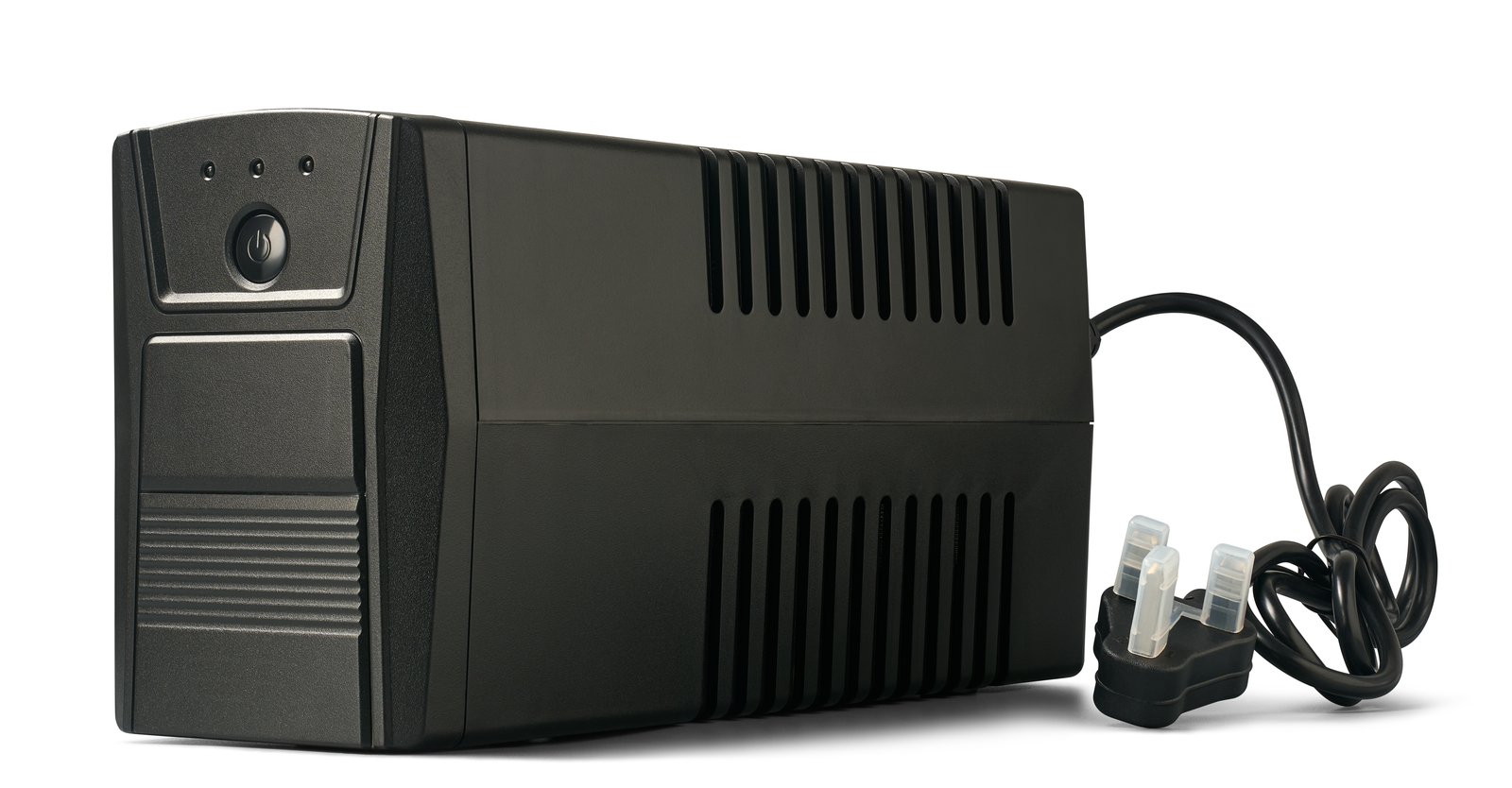
The best UPS for small office use is the CyberPower CP1500EPFCLCD-UK for most setups. It offers pure sine output, a 900W rating, two UK sockets and four IEC outlets. If you need more power, the APC Back-UPS Pro BR1600SI has the highest rating here at 960W. For a router and small NAS, the APC Back-UPS Pro BR900MI (540W) should be plenty. All eight are UK 230V units.
- Best for most small offices: CyberPower CP1500EPFCLCD-UK (900W, pure sine, UK sockets)
- Most watts: APC Back-UPS Pro BR1600SI (960W, pure sine)
- Router and small NAS: APC Back-UPS Pro BR900MI (540W)
We may earn a commission if you buy through links on this page. It never changes our verdicts. How we review.
Size yours with the table below
How to size a UPS in two steps
Step 1: measure your load in watts. Use a plug-in power meter at the wall, as ComputingForGeeks recommends, and add up everything that will go on the battery outlets.
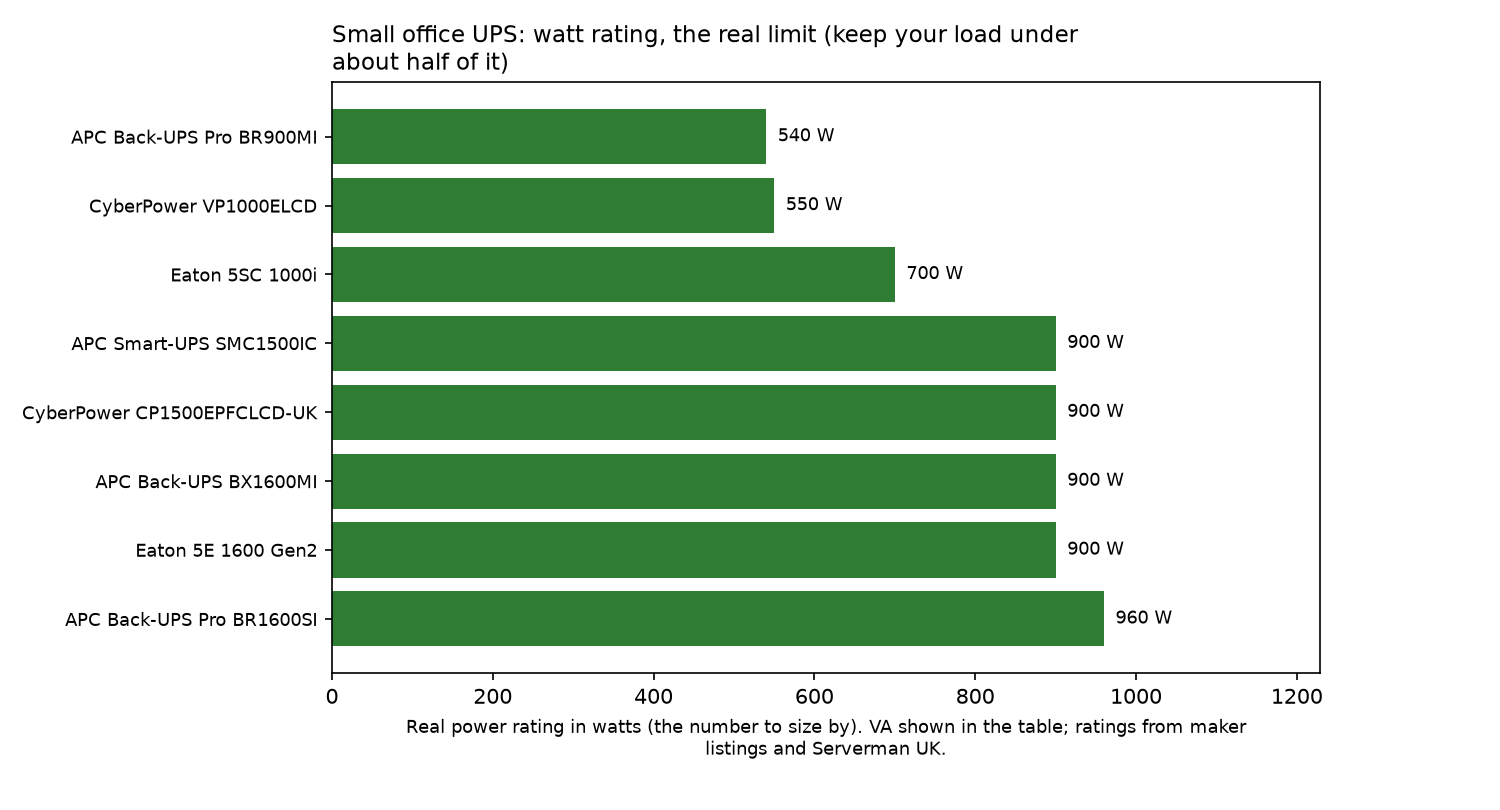
Step 2: pick a UPS rated for at least double that. ComputingForGeeks says to keep the measured load under about half the watt rating. Serverman UK suggests about 30% headroom. Either way, check the watt rating, not just VA.
| Your measured load (watts) | Minimum watt rating (load x 2, "half load" rule) | Example office setup | Picks that fit |
|---|---|---|---|
| Up to 100W | 200W+ | Router, switch, one small NAS | Any pick; BR900MI is plenty |
| 100 to 250W | 500W+ | NAS, mini PC, router, switch | BR900MI (540W), VP1000ELCD (550W), Eaton 5SC 1000i (700W) |
| 250 to 450W | 900W+ | Desktop PC, monitor, NAS, network kit | CP1500EPFCLCD-UK, SMC1500IC, BX1600MI, Eaton 5E 1600 (900W) |
| 450 to 480W | 960W | Two desktops plus network kit | BR1600SI (960W) |
| Over 480W | step up to a larger unit | Small server room | Outside this guide |
The picks
1. CyberPower CP1500EPFCLCD-UK: best for most small offices
This 1500VA / 900W line-interactive UPS combines pure sine output with AVR, an LCD and PowerPanel software. It's the UK version of the CP1500PFCLCD family recommended by ComputingForGeeks, which points out that 230V markets use the E-suffix models.
Who it's for: Small offices running a desktop, monitor, NAS and network kit, particularly those needing UK three-pin sockets.
Who it isn't for: Setups drawing more than about 450W.
2. APC Back-UPS Pro BR1600SI: most watts
At 1600VA / 960W, this is the highest-rated UPS in the guide. It has pure sine output, AVR, an LCD and both USB-A and USB-C charging ports.
There are eight IEC outlets, but only six provide battery backup and surge protection. The other two are surge-only. Racks and Watts compares battery-backed and surge-only outlets, so count only the six. Retailer data sheets quote around 78 to 82 minutes at 100W, according to Serverman.
Who it's for: Offices with two desktops and network equipment, or lighter setups that need a long runtime.
Who it isn't for: Anyone who needs UK sockets built into the UPS.
3. APC Smart-UPS SMC1500IC: best for remote monitoring
The SMC1500IC is a 1500VA / 900W pure sine UPS with eight IEC C13 outlets, according to Serverman. Its main draw is SmartConnect cloud monitoring.
Who it's for: Offices that need to monitor UPS status when nobody is on site.
Who it isn't for: Setups that only need straightforward USB shutdown.
4. APC Back-UPS Pro BR900MI: best for a router and small NAS
900VA / 540W, AVR and six IEC outlets. Unlike the pure sine models above, it gives a stepped approximation of a sine wave, according to Serverman, which cites retailer data sheets of around 11 minutes at half load (270W).
Who it's for: A small NAS alongside a router and switch.
Who it isn't for: Equipment with Active PFC power supplies. The pure sine section below explains why.
5. Eaton 5SC 1000i: mid-size with sine output
The Eaton 5SC 1000i is rated at 1000VA / 700W. Its listing specifies sinewave output, eight IEC C13 outlets, USB connectivity and a standard runtime of 15 minutes.
Who it's for: Offices running a NAS, mini PC and network equipment with a combined load of 100 to 250W.
Who it isn't for: Desktop PC setups that require 900W.
6. APC Back-UPS BX1600MI: 900W alternative
The BX1600MI provides 1600VA / 900W, with AVR and six IEC outlets. The listing doesn't state the waveform.
Who it's for: Offices needing 900W that can confirm the waveform suits their kit.
Who it isn't for: Anyone who needs guaranteed pure sine output.
7. Eaton 5E 1600 Gen2 USB IEC: line-interactive option
This line-interactive UPS has six outlets and USB connectivity. It is rated at 1600VA / 900W, per its listing's specification table. The listing does not state the waveform, so check Eaton's spec sheet if your kit needs pure sine.
Who it's for: Offices that already use Eaton equipment as standard.
Who it isn't for: Buyers who need a confirmed pure sine output.
8. CyberPower VP1000ELCD: budget pick
A budget 1000VA / 550W unit, according to its listing, which doesn't state the waveform or outlets.
Who it's for: Light network equipment where keeping costs down is the priority.
Who it isn't for: NAS setups that require confirmed USB shutdown support.
Comparison table
| UPS | VA / W | Pure sine | Outlets | NAS USB shutdown |
|---|---|---|---|---|
| CyberPower CP1500EPFCLCD-UK | 1500 / 900 | Yes | 2 UK + 4 IEC | USB, PowerPanel |
| APC Back-UPS Pro BR1600SI | 1600 / 960 | Yes | 8 IEC (6 battery) | USB |
| APC Smart-UPS SMC1500IC | 1500 / 900 | Yes | 8 IEC | USB, SmartConnect |
| APC Back-UPS Pro BR900MI | 900 / 540 | No (stepped) | 6 IEC | USB |
| Eaton 5SC 1000i | 1000 / 700 | Sinewave (listing) | 8 IEC | USB |
| APC Back-UPS BX1600MI | 1600 / 900 | not stated | 6 IEC | check listing |
| Eaton 5E 1600 Gen2 | 1600 / 900 | not stated | 6 | USB |
| CyberPower VP1000ELCD | 1000 / 550 | not stated | not stated | check listing |
Never plug a laser printer or heater into battery outlets.
Pure sine or stepped?
Cheaper units often produce a stepped approximation of a sine wave, as ComputingForGeeks explains. Power supplies with Active PFC can drop the load on stepped output, so it recommends pure sine for a NAS or server.
For an office with a NAS or desktop PCs, the CyberPower CP1500EPFCLCD-UK, BR1600SI and SMC1500IC are safer choices. The stepped BR900MI is better suited to simpler network equipment.
Auto-shutdown for a NAS
Battery backup is only half the job. The NAS also needs to shut down cleanly before the battery runs flat.
TechFromAlex explains the main steps:
- Connect the UPS to the NAS using a USB cable, then enable UPS support in Synology DSM or QNAP QTS.
- The NAS needs a HID-compliant USB port.
- If other equipment shares the UPS, a timed shutdown, often set to 5 to 10 minutes, is a better choice.
- You can configure the NAS as a network UPS server so that a PC connected to the same UPS shuts down as well.
For Linux machines, Network UPS Tools (NUT) works with the usbhid-ups driver to manage USB HID UPS units, according to ComputingForGeeks.
For more on protecting office data, see our backups and security guides.
What not to plug in
Some office appliances draw too much power for UPS battery outlets. ProToolKit recommends keeping laser printers, heaters, coffee makers, laminators and other high-draw devices off them unless the manufacturer explicitly supports their use.
Use surge-only outlets or a separate wall socket instead. Our office tech section covers the rest of your setup.
Battery care
- Sealed lead-acid UPS batteries typically last three to five years, according to Serverman.
- Take old batteries to a recycling centre or arrange recycling through the retailer, as the same source advises.
- Schedule regular battery tests rather than leaving them until there's a problem, as ProToolKit suggests.
More upkeep tips are in our maintenance guides.
FAQ
What size UPS do I need: VA or watts?
Use watts to choose the right size. Measure the actual power draw at the wall, then aim for a UPS with roughly twice that watt rating. This follows the half-load rule recommended by ComputingForGeeks.
Do I need a pure sine wave UPS?
Yes, if you're powering a NAS, server or PC with an Active PFC power supply. These supplies can drop the load when fed stepped output, according to ComputingForGeeks.
How long will a UPS run my office equipment?
Runtime depends on how much power your equipment draws. Check the manufacturer's runtime chart for the load you expect. The Eaton 5SC 1000i listing specifies a standard runtime of 15 minutes, while retailer data sheets quote around 11 minutes at half load for the BR900MI, as reported by Serverman.
Can a UPS shut down my NAS automatically?
Yes. Connect the UPS to the NAS by USB and enable UPS support in Synology DSM or QNAP QTS. You can also set up the NAS as a network UPS server to shut down other machines, as TechFromAlex explains.
Can I plug a laser printer into a UPS?
Usually not. Laser printers and other high-draw devices should stay off battery outlets unless the UPS manufacturer supports them, according to ProToolKit.
How often should I replace a UPS battery?
Sealed lead-acid UPS batteries commonly need replacing every three to five years, according to Serverman.
Our verdict
The CyberPower CP1500EPFCLCD-UK is the best fit for most small offices, combining pure sine output, a 900W rating and UK sockets. Choose the BR1600SI if you need the higher 960W rating. For a router and small NAS, the BR900MI is a more modest option.
Read how we review to see how we put our guides together.